
You Can Now Pin Important Messages On WhatsApp, Here's How
Bharat Sharma | Dec 18, 2023, 17:25 IST
The ability to pin messages within WhatsApp could save time for many users, especially if they conduct business on WhatsApp

Image credit : Unsplash
WhatsApp now allows users to pin messages on the app. The Meta-owned app is rolling out a pinned message feature on iOS and Android devices that lets users pin individual or group chat messages.
The ability to pin messages within WhatsApp could save time for many users, especially if they conduct business on WhatsApp. However, a message may be pinned on WhatsApp for a maximum of 30 days. The default option for pinning messages in 7 days and the minimum duration for a message to be pinned is 24 hours.
![You Can Now Pin Important Messages On WhatsApp, Here's How]()
According to WhatsApp, users can pin any type of message in a conversation, including text, polls, and emoji - all while remaining end-to-end encrypted. To pin a message to your WhatsApp home screen, tap and hold the desired message. In the 'More' option, select 'Pin' and choose the duration for the pinned message: 24 hours, 7 days, or 30 days. Now, tap Pin again to confirm.
Also read: WhatsApp Enhances Privacy With 'View Once' Voice Notes: Here's How To Use Them
![You Can Now Pin Important Messages On WhatsApp, Here's How]()
The feature may be accessed by following the same steps on iOS and Android. Within WhatsApp groups, admins have the power to decide who can pin messages. This feature may be enabled by opening the group chat, tapping More options > Group Settings and turn Edit group settings on. In groups, once enabled, anyone with permission can pin messages. A system message informs everyone in the chat when this happens.
Once a message has been pinned within WhatsApp, it will unpin itself after its set duration ends. Unpinning the message simply removes the message from the banner on WhatsApp and retains it in the original conversation without affecting its content or accessibility.
![You Can Now Pin Important Messages On WhatsApp, Here's How]()
Also read: WhatsApp Could Soon Allow Users To Share Audio While Displaying Screen In Video Calls
This ability is particularly useful for pinning messages that may be of particular value to users. Unpinning a message is also simple. Simply long press the pinned message and select Unpin and confirm.
What do you think about this WhatsApp feature? Do you think it's useful? Let us know in the comments below. For more in the world of technologyandscience, keep readingIndiatimes.comandclick herefor our how-to guides.
The ability to pin messages within WhatsApp could save time for many users, especially if they conduct business on WhatsApp. However, a message may be pinned on WhatsApp for a maximum of 30 days. The default option for pinning messages in 7 days and the minimum duration for a message to be pinned is 24 hours.
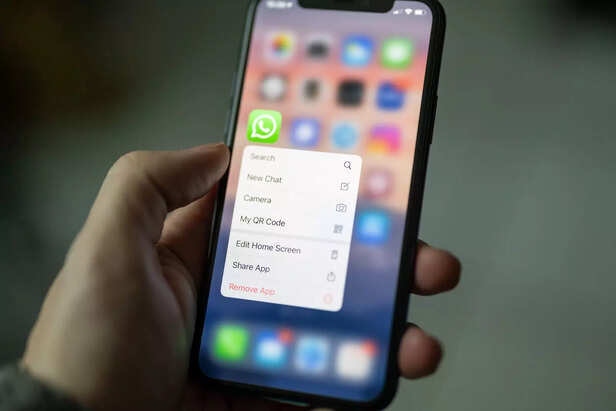
Image credit : Unsplash
How to pin messages on WhatsApp
According to WhatsApp, users can pin any type of message in a conversation, including text, polls, and emoji - all while remaining end-to-end encrypted. To pin a message to your WhatsApp home screen, tap and hold the desired message. In the 'More' option, select 'Pin' and choose the duration for the pinned message: 24 hours, 7 days, or 30 days. Now, tap Pin again to confirm.
Also read: WhatsApp Enhances Privacy With 'View Once' Voice Notes: Here's How To Use Them
Image credit : Unsplash
The feature may be accessed by following the same steps on iOS and Android. Within WhatsApp groups, admins have the power to decide who can pin messages. This feature may be enabled by opening the group chat, tapping More options > Group Settings and turn Edit group settings on. In groups, once enabled, anyone with permission can pin messages. A system message informs everyone in the chat when this happens.
Once a message has been pinned within WhatsApp, it will unpin itself after its set duration ends. Unpinning the message simply removes the message from the banner on WhatsApp and retains it in the original conversation without affecting its content or accessibility.

Image credit : Unsplash
Also read: WhatsApp Could Soon Allow Users To Share Audio While Displaying Screen In Video Calls
This ability is particularly useful for pinning messages that may be of particular value to users. Unpinning a message is also simple. Simply long press the pinned message and select Unpin and confirm.
What do you think about this WhatsApp feature? Do you think it's useful? Let us know in the comments below. For more in the world of technologyandscience, keep readingIndiatimes.comandclick herefor our how-to guides.
Elon Musk merges SpaceX, xAI and X in bold AI move
By Nancy Jaiswal

Japanese volleyball players's dramatic apology goes viral
By Bhupinder Singh

Is AI plotting against humans? 5 Moltbook myths that has everyone freaking out
By Garima Satija

IITian selling pani puri in London isn't a downgrade
By Sneha Kumari

US teacher faces backlash after ICE call on student
By Simran Guleria

5 world records Colby Raha broke that redefine motocross
By Sneha Kumari

Celebrities slam NYC mayor over slow snow cleanup
By Simran Guleria
